New Features and Updates
Following are the changes in this release:
Mobile app Versions –There will be an update to the Agency app with this release. The version of the Caregiver app will remain the same 2.55 (Code Push 1.0). The Version for agency app will be 2.22(Code Push 1.0).
The minimum operating system requirements are as below:
| Platform | Minimum Version | Notes |
|---|---|---|
| iOS | 15.1+ | Older devices (iPhone 6/6 Plus, some iPad models) cannot run RN 0.78 apps. |
| Android | 7.0+ (API 24) | React Native officially bumped minSdkVersion to 24, so Lollipop (21) and Marshmallow (23) are dropped. Covers ~99% of active devices in 2025. |
Schedule Maintenance Window
Please note that regular maintenance is scheduled for January 29th, 2026, from 12:30 AM – 4:30 AM Eastern Time, to perform necessary tool updates and deploy improvement patches. Thank you for your continued partnership!
Managing your caregivers’ profile calendar just got easier on the agency portal. We have overhauled the Caregiver Profile Calendar on the agency portal’s new UI to provide a unified view of both Schedules (client visits) and Meetings (administrative or internal events). Previously, you had to switch between Schedule view and Meeting view; now, everything is available on a single screen to help you monitor and manage caregiver time more efficiently.
1. The Unified “Combined View”
By default, when you open a Caregiver Profile Calendar on the agency portal, you will now see both Schedules and Meetings side-by-side in the Daily, Weekly, and Monthly views.
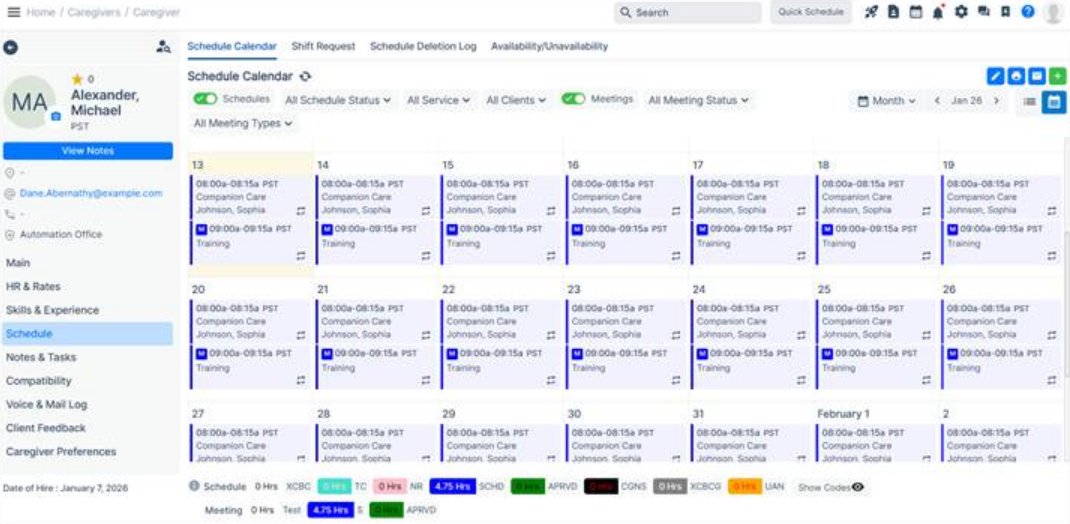
2. New Toggle Filters
We’ve replaced the old dropdown filters with simple Toggles.
3. Enhanced List View
The “List View” has been redesigned to support this combined data:
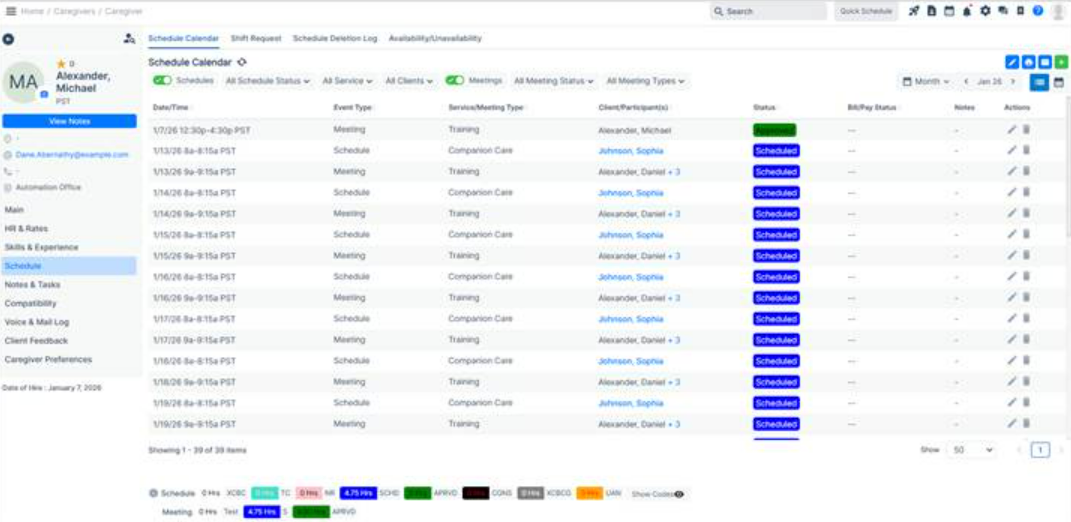
4. Export Functionality
Need to take your data offline? The Export feature now supports the combined view, allowing you to download a single report containing both schedules and meetings exactly as they appear on your filtered screen. As we have combined the views, this will be exporting both meetings and schedules, irrespective of the toggle status for meetings and schedules.
We have enhanced the CMS-485 generation workflow to allow data population directly from OASIS assessment forms, ensuring better alignment with state-mandated documentation requirements.
Previously:
CMS-485 forms could be generated from other standard V3 assessments; however, data mapping from the OASIS Start of Care assessment to CMS-485 was introduced only in the most recent release.
With this enhancement:
Agencies can now also generate CMS-485 forms using data captured from the following below mentioned OASIS assessments:
This improvement streamlines documentation, reduces duplicate data entry, and supports greater compliance across assessment workflows.
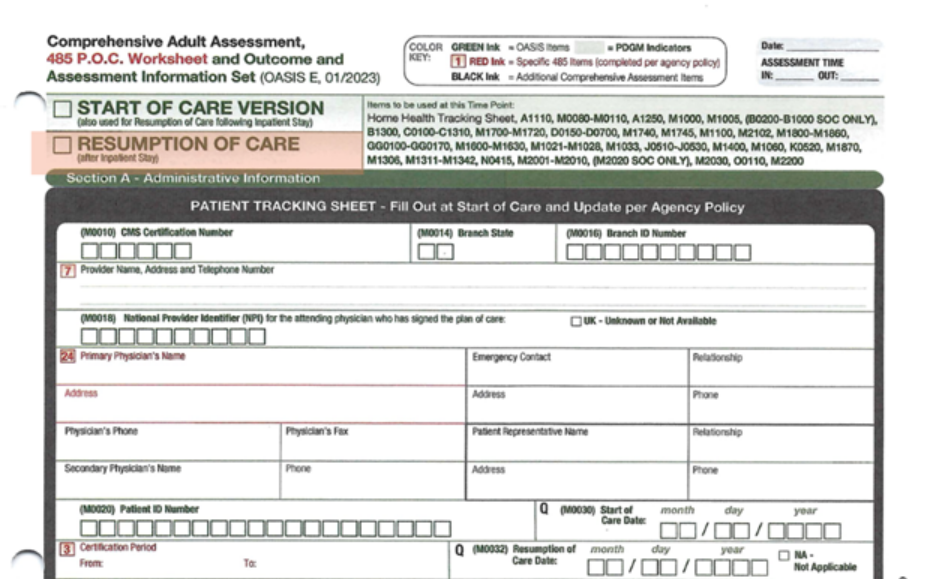
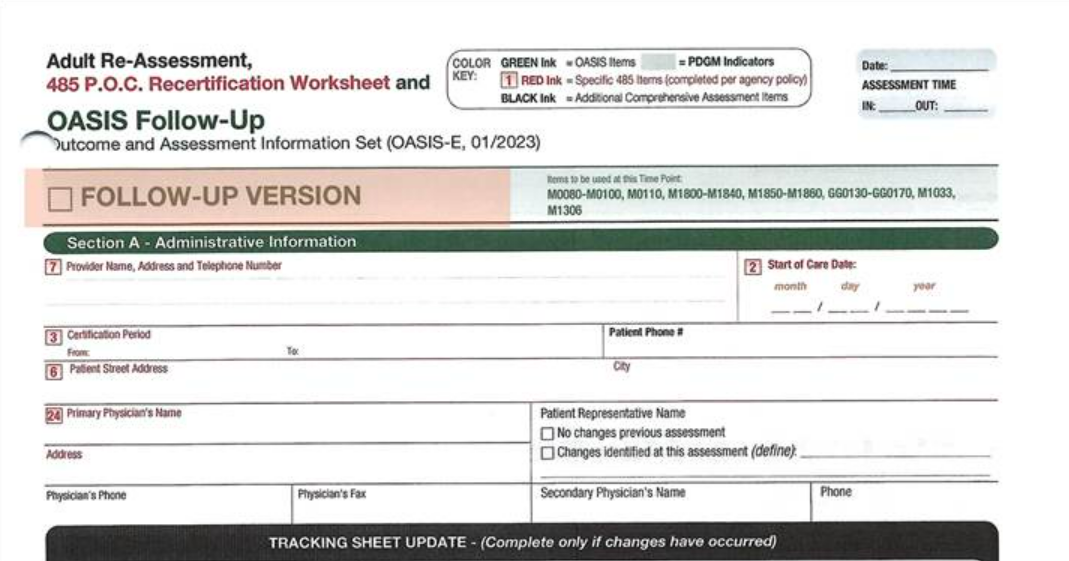
The following forms are now created using a custom PDF solution, which enables mapped data from completed assessments to be used for generating the CMS-485 form.
Once these forms are marked active from the backend (Office Settings); it becomes available under the client’s profile → Assessment tab.
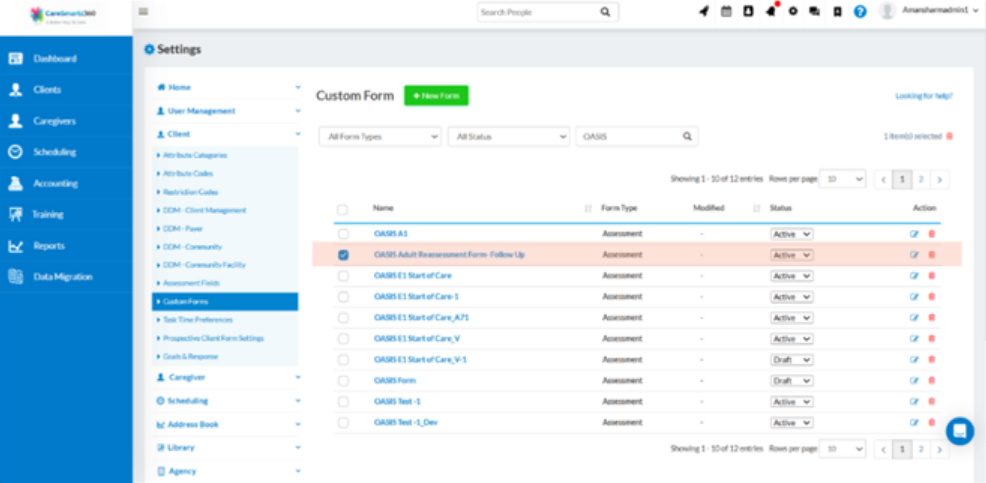
The user can Access these forms under the Client’s Profile → Assessment tab.
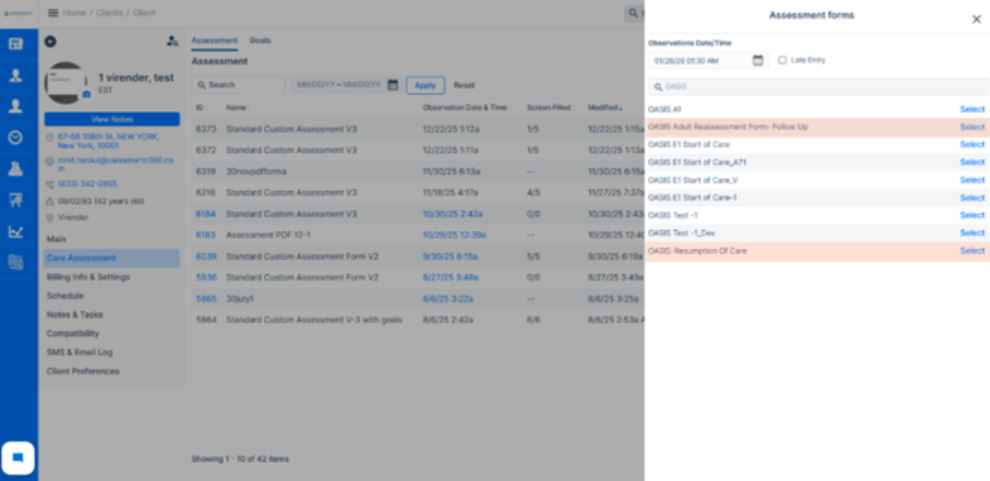
Complete the form and generate the CMS-485 with mapped data.
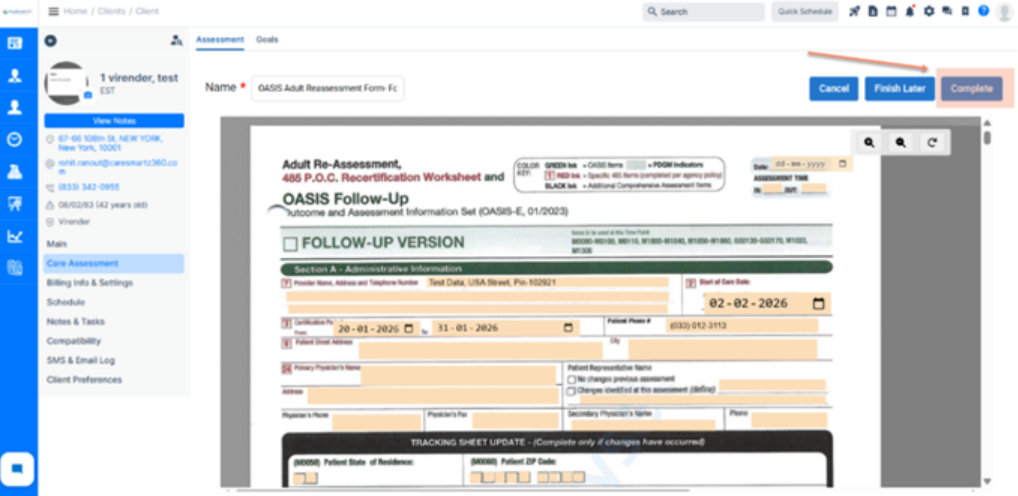
Once completed, the OASIS form allows users to generate a CMS-485 with all mapped fields populated as per the agency’s specifications.
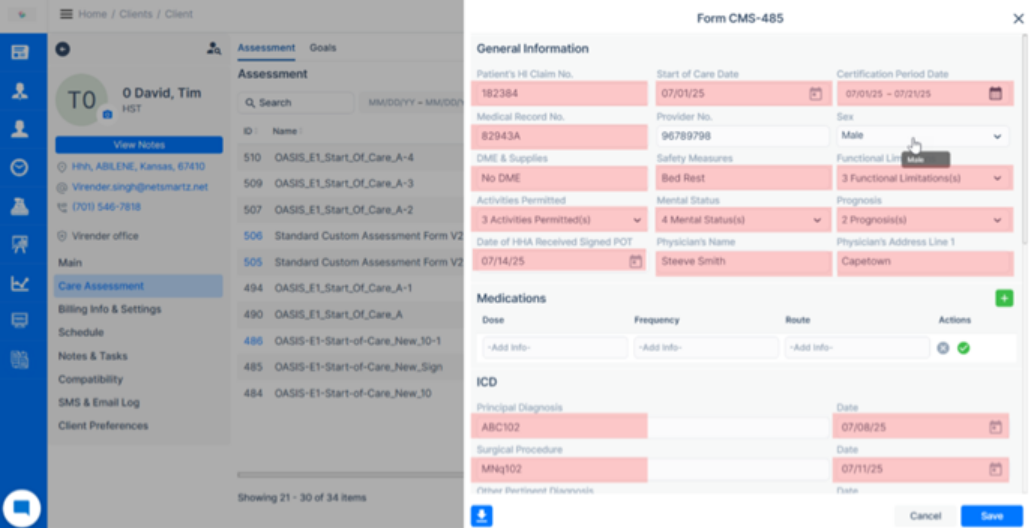
All of the fields present in the CMS 485 form are automatically populated from the OASIS assessment form, based on the pre-entered data provided by the user while completing the assessment.
Additionally, as per the existing workflow, certain fields in the CMS-485 form are populated from other sections of the system. The details are listed below and will continue to function as currently implemented.
Fields in CMS 485 Populated from Client’s Profile:
Fields Populated from Agency Details
This update ensures:
Please note: This feature is built on top of the existing custom PDF solution. Additionally, the downloaded CMS-485 PDF will also contain the mapped data derived from the OASIS Assessment.
What Changed
– Worker ID is now mapped to the caregiver’s SSN.
– Worker ID continues to be mapped to the caregiver’s State ID (no change).
Impact on Agencies
What changed
– EVV report listing
– Downloads/exports
Enhanced status popup:
– Batch ID, and
– “Standard” or “Live in” to indicate which endpoint ran.
Sync payer enhancement:
Impact on agencies
What changed
Impact on agencies
– Export territory-specific data for targeted review or submission.
– Or export the entire organization if needed.
What changed
Impact on agencies
What changed
– If the office state is Missouri, Nevada, or Wisconsin:
And State ID is missing on the caregiver profile → a pre‑billing validation error is shown.
And State ID is present → no validation error.
– No new validation is applied for the caregiver State ID.
Impact on agencies
– Prevents rejected EVV submissions due to missing required identifiers.
– Guides staff to fix data issues proactively during pre‑billing.
What changed
– When adding new clients.
– When updating existing clients.
– In the agency app as well as the main web portal.
Impact on agencies
What changed
Impact on agencies
 AI Hub