wp-hide-security-enhancer domain was triggered too early. This is usually an indicator for some code in the plugin or theme running too early. Translations should be loaded at the init action or later. Please see Debugging in WordPress for more information. (This message was added in version 6.7.0.) in /home/qkjrn7m0sui1/public_html/stgnew.caresmartz360.com/wp-includes/functions.php on line 6170all-in-one-seo-pack domain was triggered too early. This is usually an indicator for some code in the plugin or theme running too early. Translations should be loaded at the init action or later. Please see Debugging in WordPress for more information. (This message was added in version 6.7.0.) in /home/qkjrn7m0sui1/public_html/stgnew.caresmartz360.com/wp-includes/functions.php on line 6170aio-login domain was triggered too early. This is usually an indicator for some code in the plugin or theme running too early. Translations should be loaded at the init action or later. Please see Debugging in WordPress for more information. (This message was added in version 6.7.0.) in /home/qkjrn7m0sui1/public_html/stgnew.caresmartz360.com/wp-includes/functions.php on line 6170New Features and Updates
Following are the changes in this release:
An update to the caregiver mobile app will be available on Wednesday, October 27th labeled as version 2.19 for both iOS & Android. Caregivers can continue using the current version of the app and update when convenient. The minimum operating system requirements are “Lollipop” for Android and v10.0 for iPhones and iPads.
Update on Agency app will be available as version 1.4 for both iOS and Android. The minimum operating system requirements are “Lollipop” for Android and v10.0 for iPhones and iPads.
NOTE: Not all features are immediately available to all agency users. You should always go to Admin Settings and update the permissions for your agency users at the time of a new feature release if required for that feature.
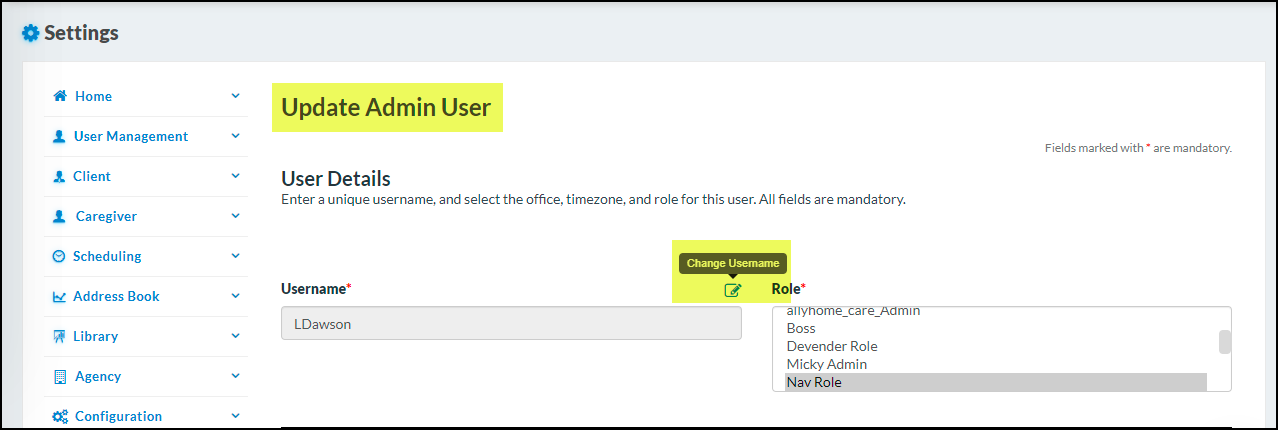
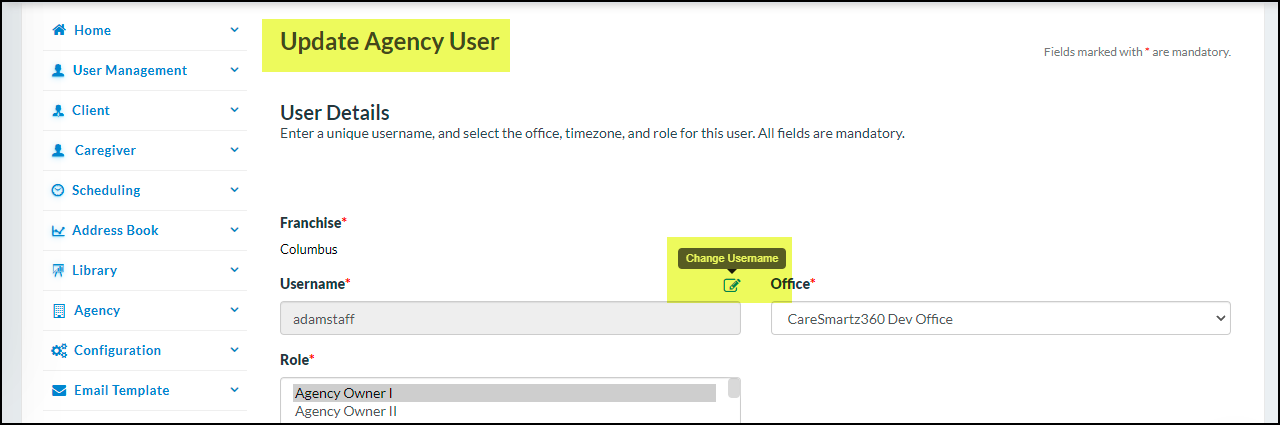
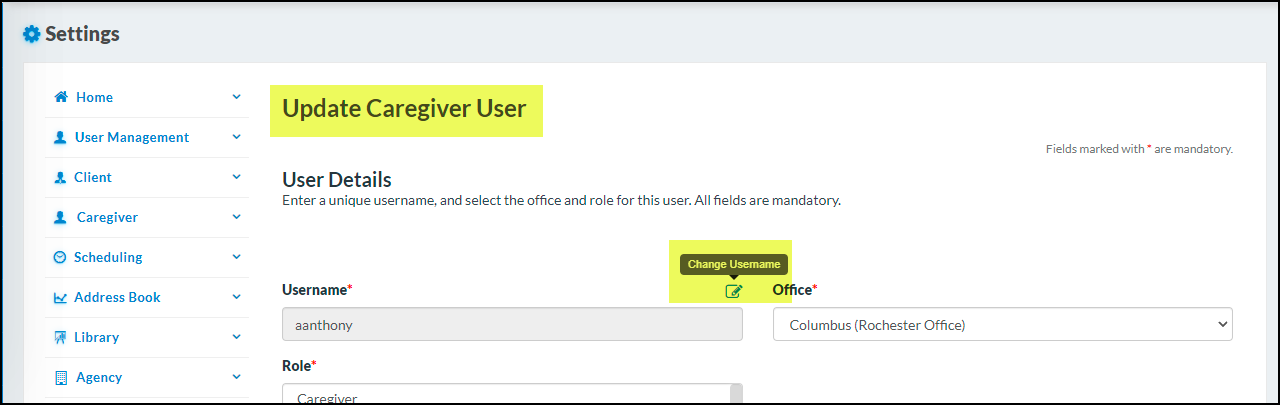
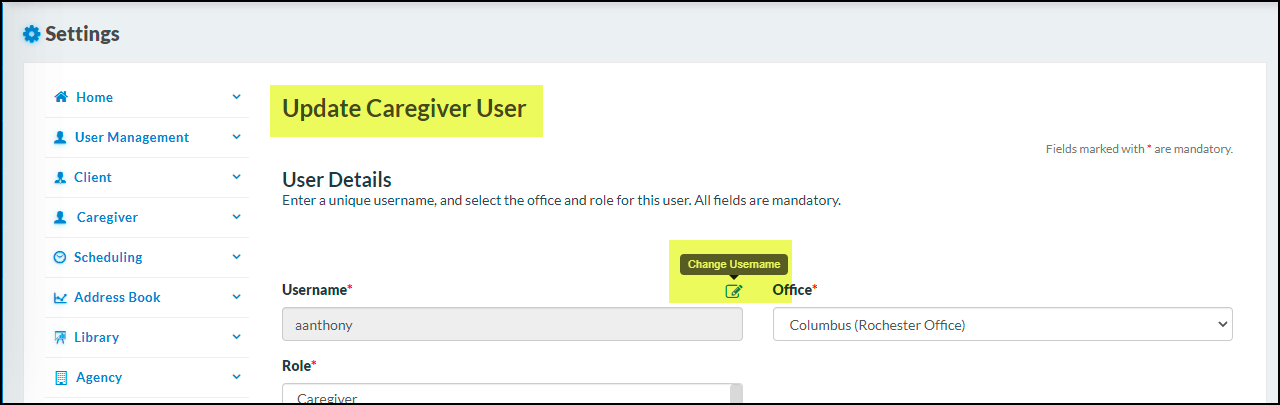
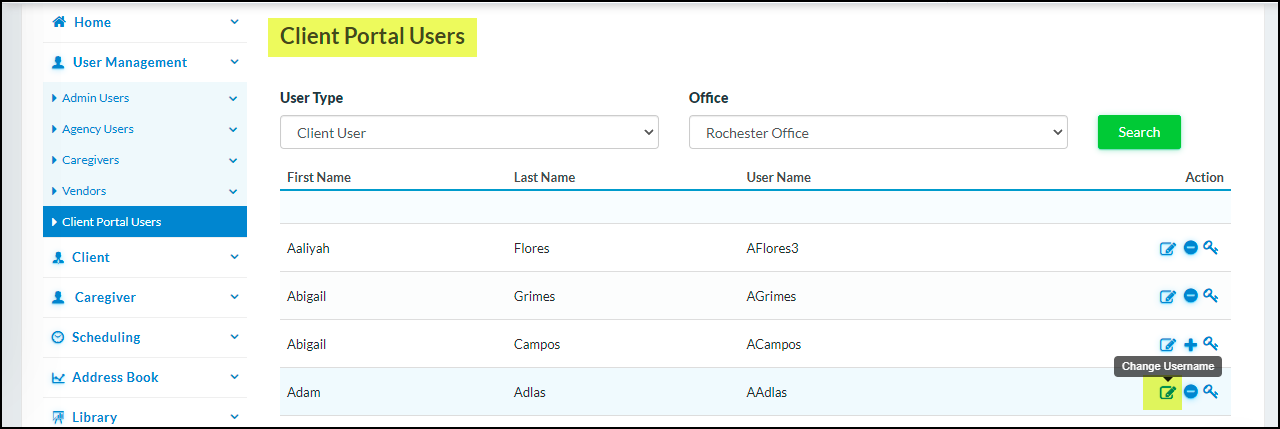
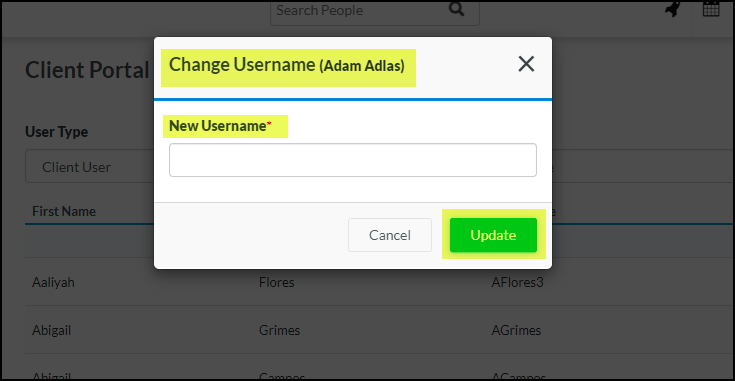
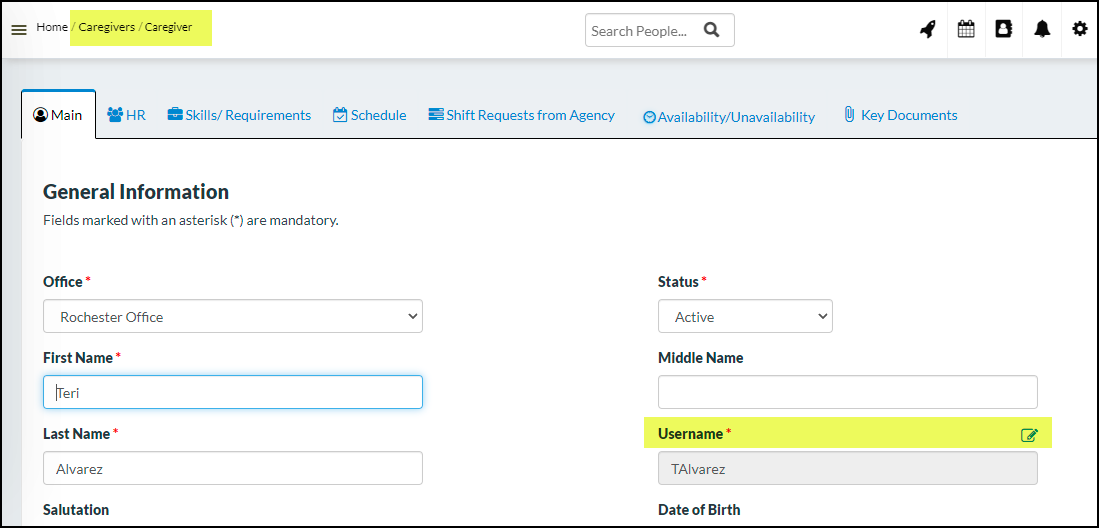
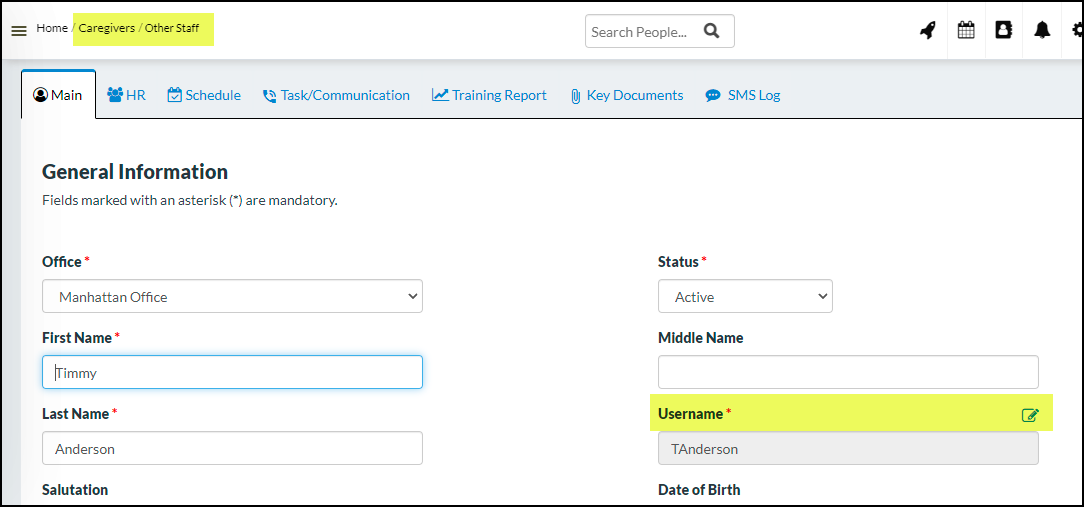
Now, you can edit/update usernames for the following profiles:
Under Settings:
i. Admin users
ii. Agency users
iii. Caregivers → Main tab → Username
iv. Client Portal users
v. Other staff → Main tab → Username
Once the username is changed an email will be sent to the respective users with their updated username so they can log in using the updated info.
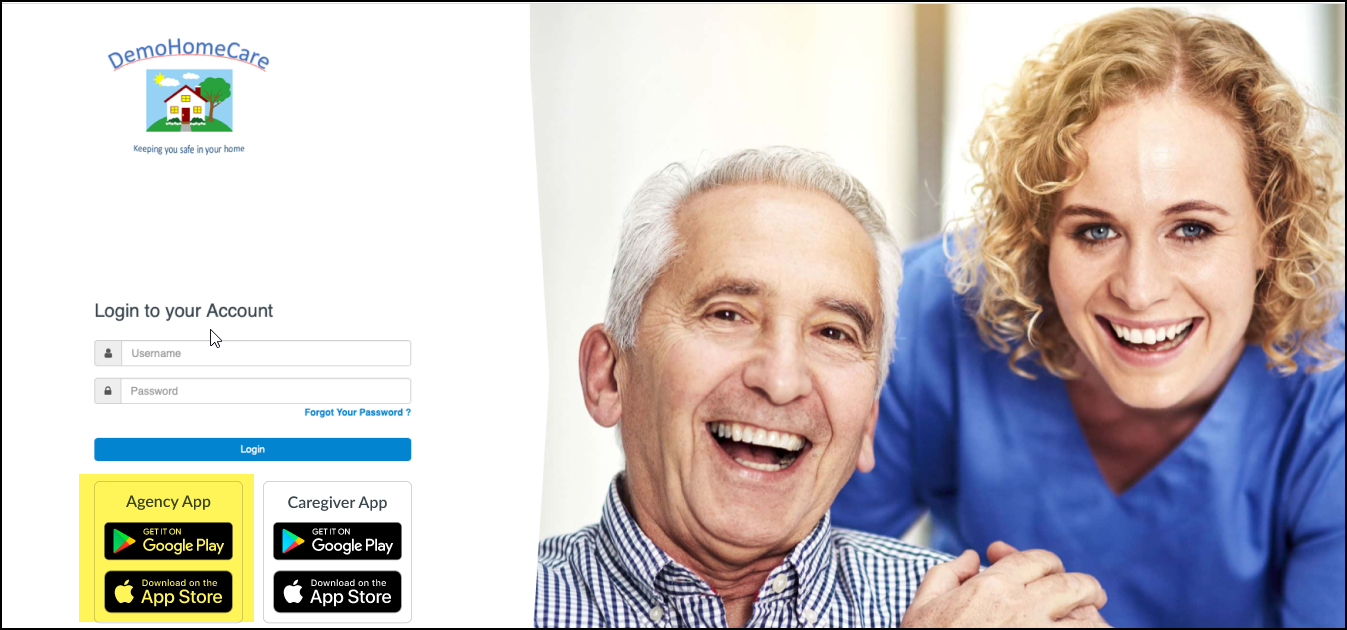
You will now find the links to download the Agency App on the login screen. To click and download, please go to CareSmartz360 on your mobile device via a browser, or search for “CareSmartz360 Agency App” in the app stores.
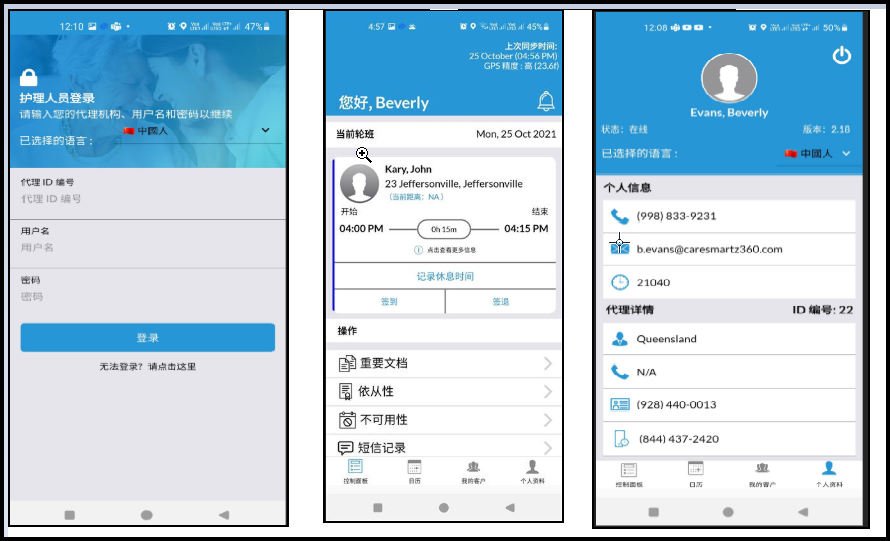
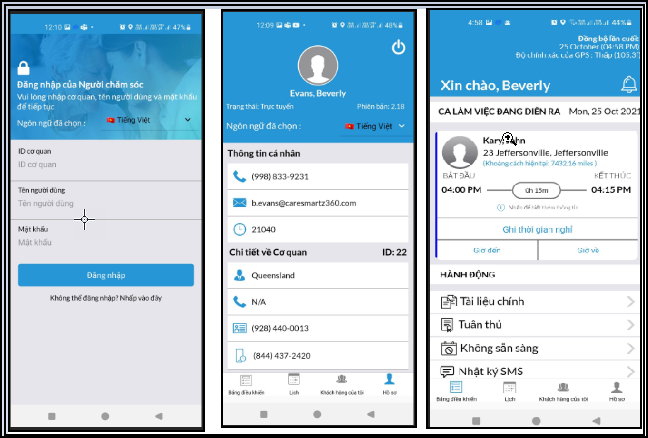
Caregivers will be able to switch to Chinese or Vietnamese languages within the Caregiver mobile app from their profile, or at the time of login based on their preferred language.
Caregiver App – Support for iPad users
The caregiver mobile app will more be more user-friendly for those using iPads.
1. Agency app name change
a. The agency app will appear now in the app stores with the new name “CareSmartz360 Agency App” (instead of Caresmartz360_agency).
2. You can now edit caregiver profiles with basic functionality and quick actions on the agency app.
1. Integration with Sandata in the state of Washington
a. Caresmartz360 is now integrated with Sandata in the state of Washington.
2. CareBridge Updates
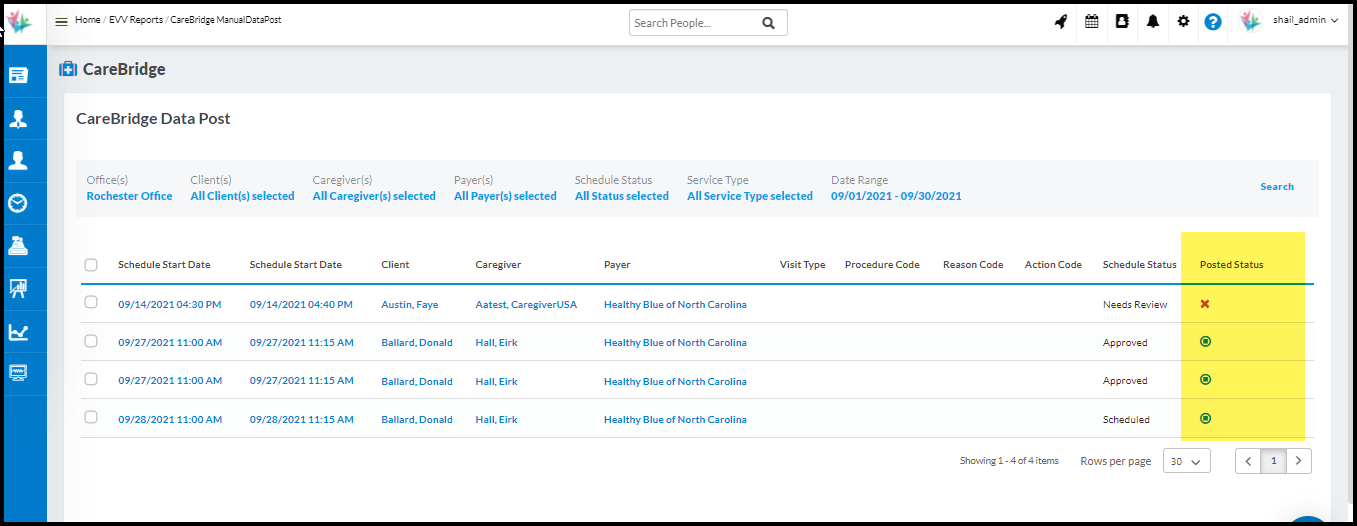
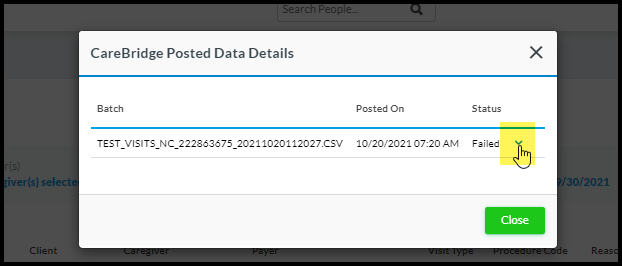
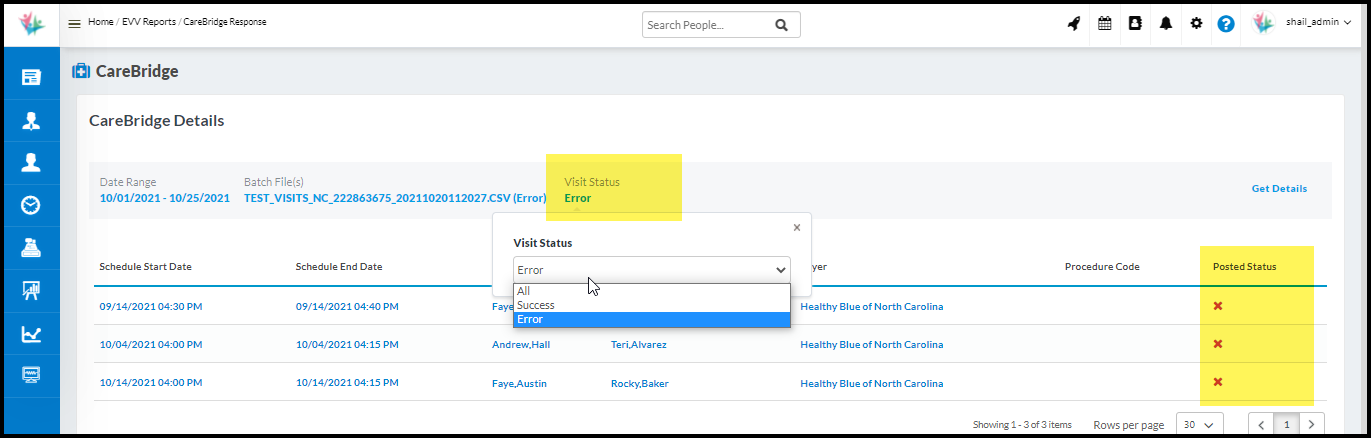
Flow Improvement on CareBridge posting & detail screens
i. You can now view the results for each visit/schedule on the data post screen itself.
ii. On the CareBridge Detail screen, you can filter the batch with Visit status.
iii. By default, Error Visits will be shown in the selected batch. But you can filter out by All or Success Visits as well if needed.
Oregon State Updates
1. Ability to export a CSV file for ADP clients in the state of Oregon.
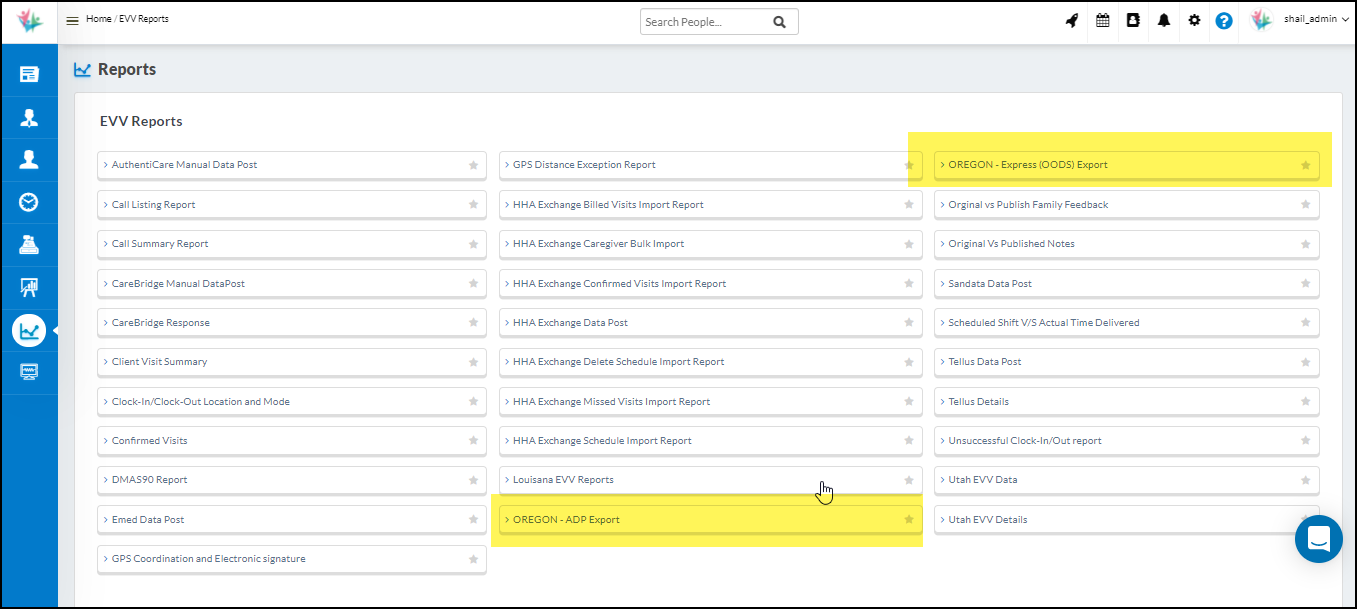
a. Introducing a new report in the name of “OREGON – ADP EXPORT” wherein you can export the CSV file for ADP clients.
b. Select the client type with option as “ADP” under the Client → Main tab
c. Only those clients linked with ADP will appear in the OREGON – ADP export – CSV report.
2. Updates to the Existing OODS clients – CSV export.
a. Select the client type named “OODS” under the Client → Main tab.
b. Only those clients linked with OODS will appear in the OREGON express(OODS) export – CSV report.
HHAeXchange Updates
1. HHA Modifiers Update for all states using HHA – Import reports.
a. Modifiers added to the Authorization schedules will be automatically linked to the procedure codes on the all HHA Import reports (where applicable).
TELLUS Updates
Automation of the process for TELLUS posting for all states where TELLUS is the EVV aggregator.
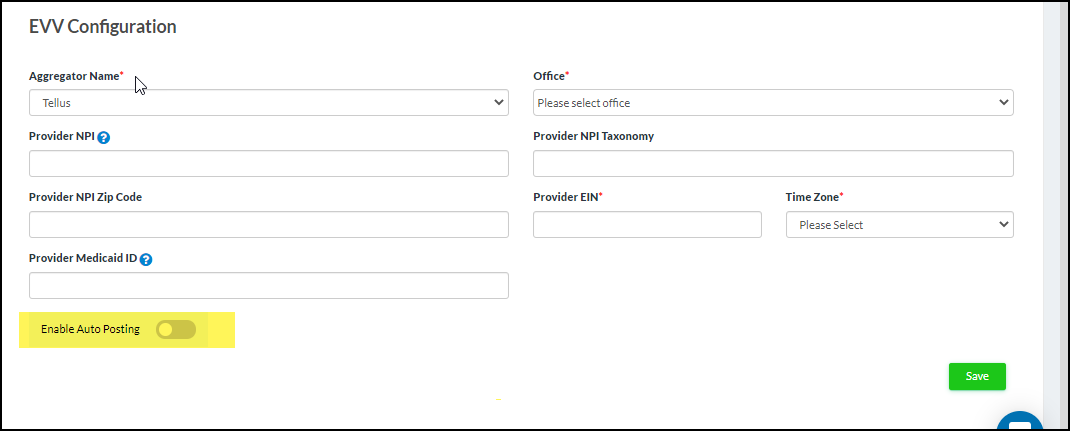
a. You can turn on/off the setting, if you wish to start the auto-posting of records from the EVV configuration screen.
b. Once the setting is turned on, the system will check for visits that are linked to a TELLUS payer and eligible for posting once the invoice for that visit has been created.
c. The Web Service will run every day at 12 midnight EST and capture all the eligible visits that need to be posted in COMP status.
d. Once the visits are posted, they will be processed at the TELLUS end and come back in an accepted or rejected batch status.
e. You can then check the reasons for rejection and make necessary corrections.
f. Once any corrections are done, you can then manual post the file for quick updates as the system will not auto-post for corrected visits. Visits that are manually posted to Tellus (COMP status) will not be picked up by the auto-post at midnight.
Please note that manual posting process will remain as it is currently.
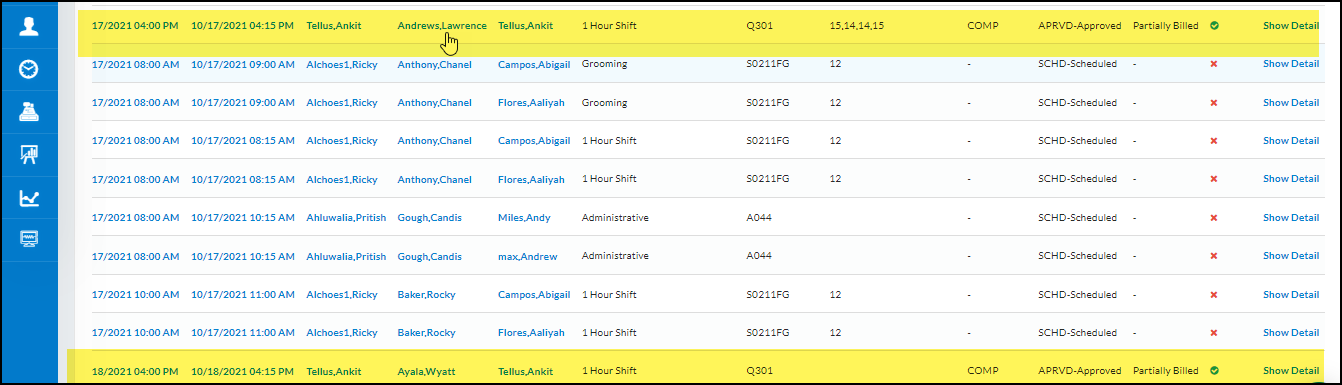
2. Updated on TELLUS Data post screen
Users will be able to view the visit status and the reason for rejection on the TELLUS data post screen itself under visit status column.

 AI Hub